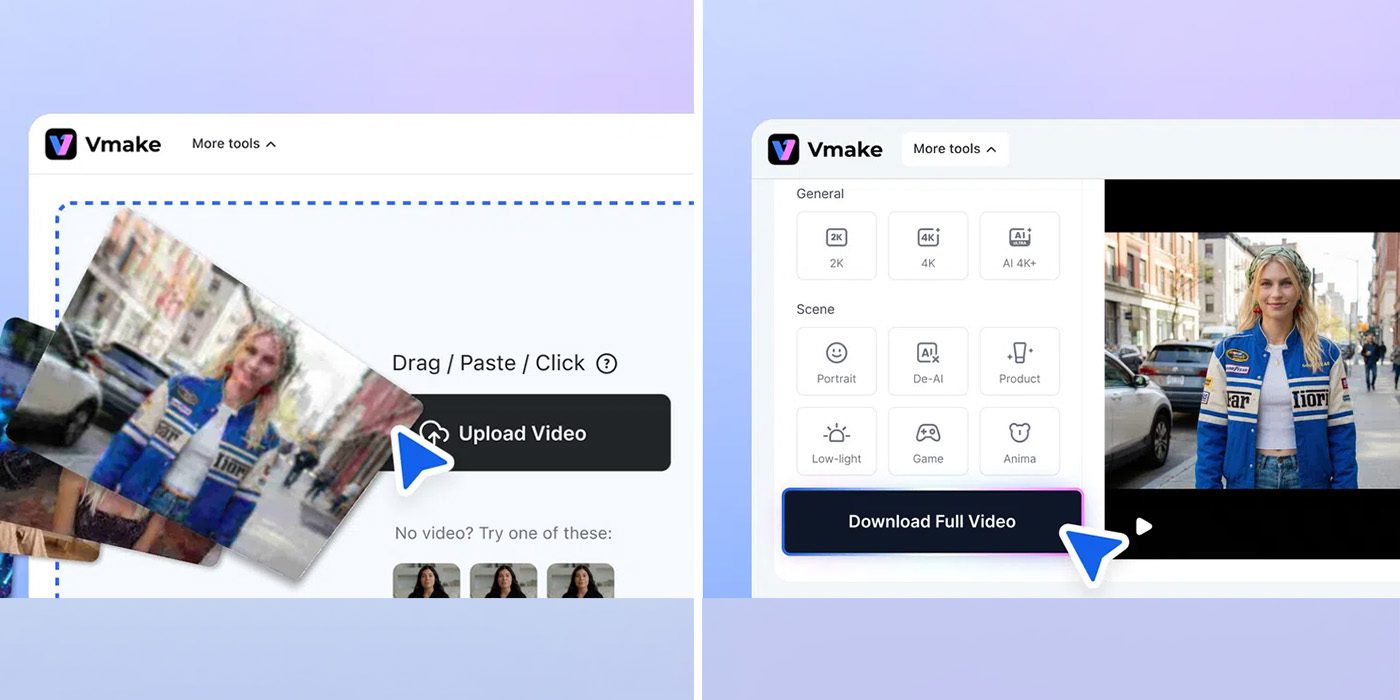
Vmake's AI Social Video Studio is an all-in-one platform that pulls a full stack of social media creation tools into a single workspace, letting creators enhance, repair, and generate video clips without juggling separate apps or subscriptions. The suite is built around bridging the gap between quality and quantity, the two demands every modern content schedule runs into at once.

What the Vmake AI video studio can do
The toolkit covers the jobs creators repeat every week, and each tool is designed to run in roughly a click rather than a long manual edit. That click-to-result speed is where most of the time savings come from, since the busywork of upscaling, cleaning, and reformatting clips is what usually eats a content day.
- Video Enhancer – upscales footage to 4K, removes blur, cleans up noise, fixes lighting, and stabilizes shaky clips.
- Watermark remover – strips platform watermarks, captions, and overlays from clips you re-download from your own profiles.
- Background removal and video recreation – swaps subjects onto new backgrounds or rebuilds a concept from an existing video.
- AI avatars, UGC generator, and product showcases – generate clips from product images or AI presenters to fill gaps between shots.
- Video translator and thumbnail generator – localize clips for other markets and spin up thumbnails without a separate design tool.
The video recreation feature is aimed at people who want a fast concept or shoot template, while the AI avatar and user-generated-content tools are pitched as a way to cut production costs. Vmake says a single video can drop to as low as $10 to produce.

Vmake AI video studio pricing and plans
Vmake's tools are free to try, with higher creation limits and extra features gated behind a subscription that starts at under $6 per month when billed annually. The two paid tiers break down like this:
- Plus – up to 1,000 monthly credits, core tools (enhancer, watermark remover, thumbnail generator) usable up to 10 times a day, access to models including Veo 3.1 and Seedance 2.0, and exports up to 1080p.
- Pro – up to 4K output, five times the daily usage, and 4,500 monthly credits.
The Plus plan is positioned as the best value for most creators, while Pro targets users who need higher resolution and heavier daily volume. The inclusion of name-brand generative models like Google's Veo 3.1 and Seedance 2.0 is part of the pitch, since it folds frontier text-to-video capability into the same subscription as the cleanup tools. If you are weighing AI creation tools for a content workflow, it sits alongside the wider wave of generative video features covered across the latest AI tools.
Who the all-in-one toolkit is for
The pitch is straightforward: instead of paying for a separate upscaler, a watermark tool, a background remover, and an avatar generator, Vmake folds them into one subscription. That makes it most useful for solo creators and small businesses producing a steady stream of short-form clips, where the repeat tasks of cleaning up footage, reusing old posts, and generating filler shots add up fast. For more apps and platforms aimed at on-the-go creators, browse our mobile coverage.
Frequently asked questions
How much does Vmake's AI video studio cost?
It is free to try, with the Plus plan starting at under $6 per month billed annually. Plus includes 1,000 monthly credits and 1080p exports, while Pro adds 4K output, 4,500 credits, and five times the daily usage.
What AI video models does Vmake support?
The Plus plan lists access to Google Veo 3.1 and Seedance 2.0 among its generation models, alongside the enhancer, watermark remover, and avatar tools.
Can it really make a video for $10?
Vmake says its AI avatar and UGC tools can bring the cost of producing a single video down to as low as $10, mainly by replacing shoots with AI presenters and product-image clips.